Skip to content
DIAVICON

Bridges and viaducts (special structures)

Inspection and monitoring of bridges and viaducts, from the field to the report

Record the inspection of each bridge by foundations, piers and superstructure, add the durability and integrity tests, and track the condition of every structure in the contract in one place.

Freemium plan: free, with 1 user and 250 MB of storage. The platform interface is currently in Portuguese.

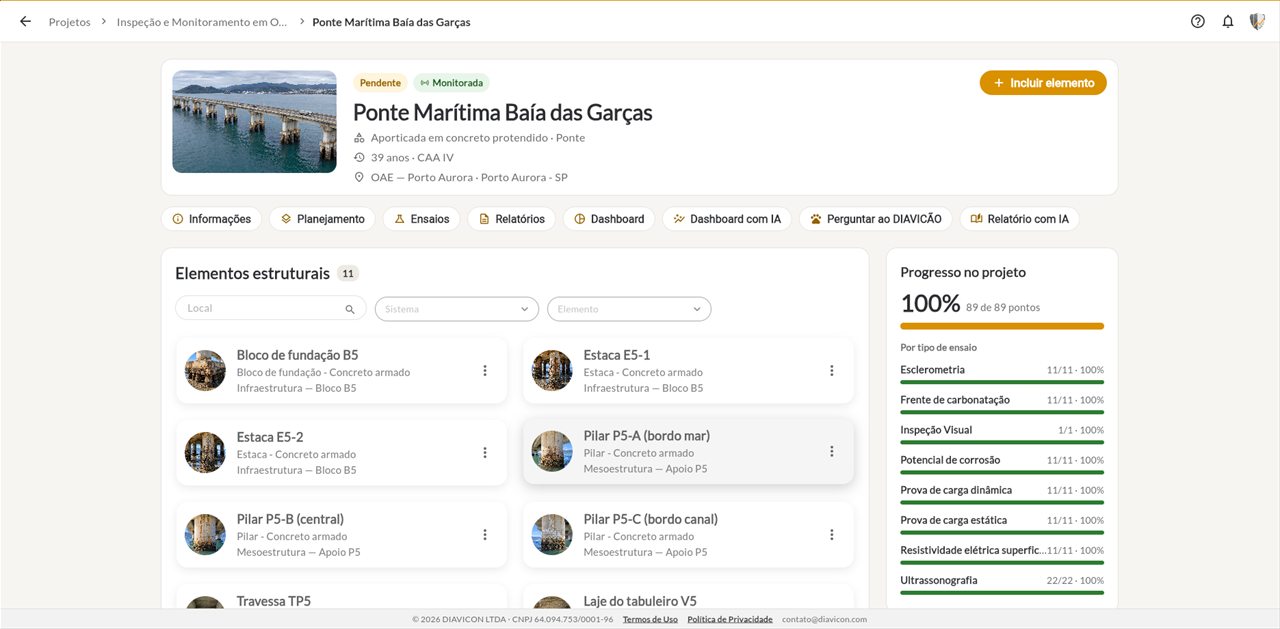
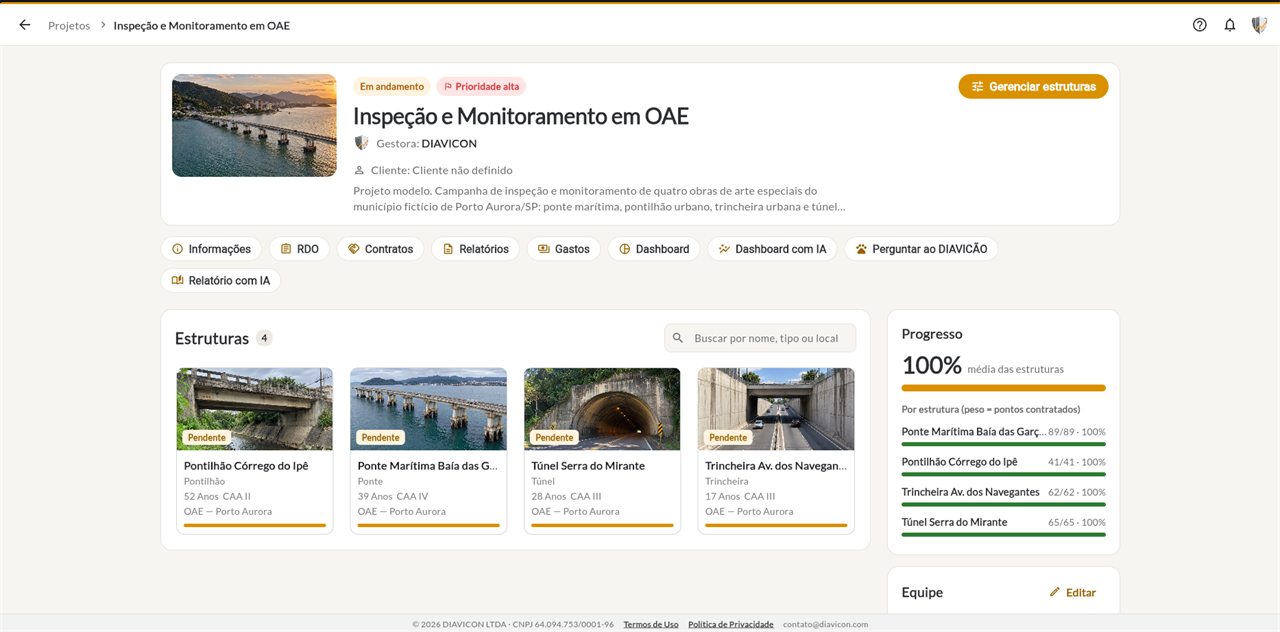
Page of a marine bridge on the DIAVICON platform, with the structural elements by location and the progress of each test

Boost productivity

What DIAVICON does for bridge inspection

From the defect recorded in the field to the report delivered to the client, without retyping anything.

Visual inspection

Every defect in the right place on the structure

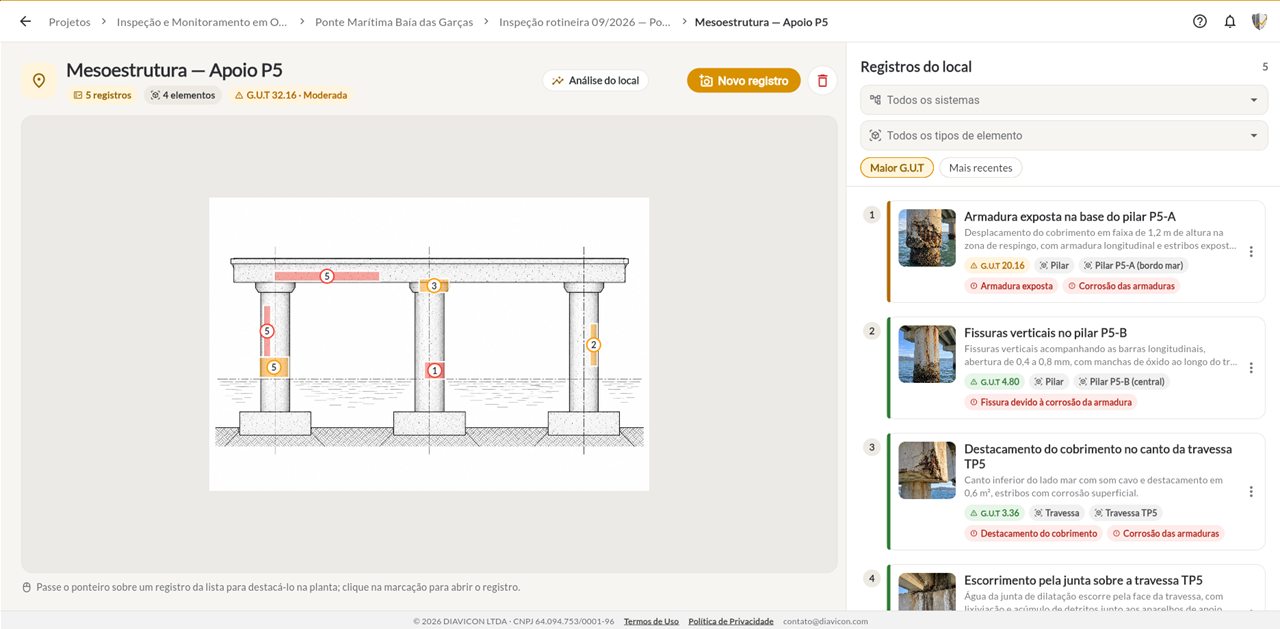
Records are made by location, such as pile cap, support and span, on the elevation or the floor plan. Each one carries photos, structural element and GUT score.

  • Records marked on the elevation of the support or the span
  • GUT score per record, per location and cumulative
  • Records by risk class: critical, high, moderate and low
  • Offline work from the Basic plan
Discover visual inspection
Inspection records marked on the elevation of a bridge support on the DIAVICON platform, with exposed reinforcement, cracks and concrete cover spalling
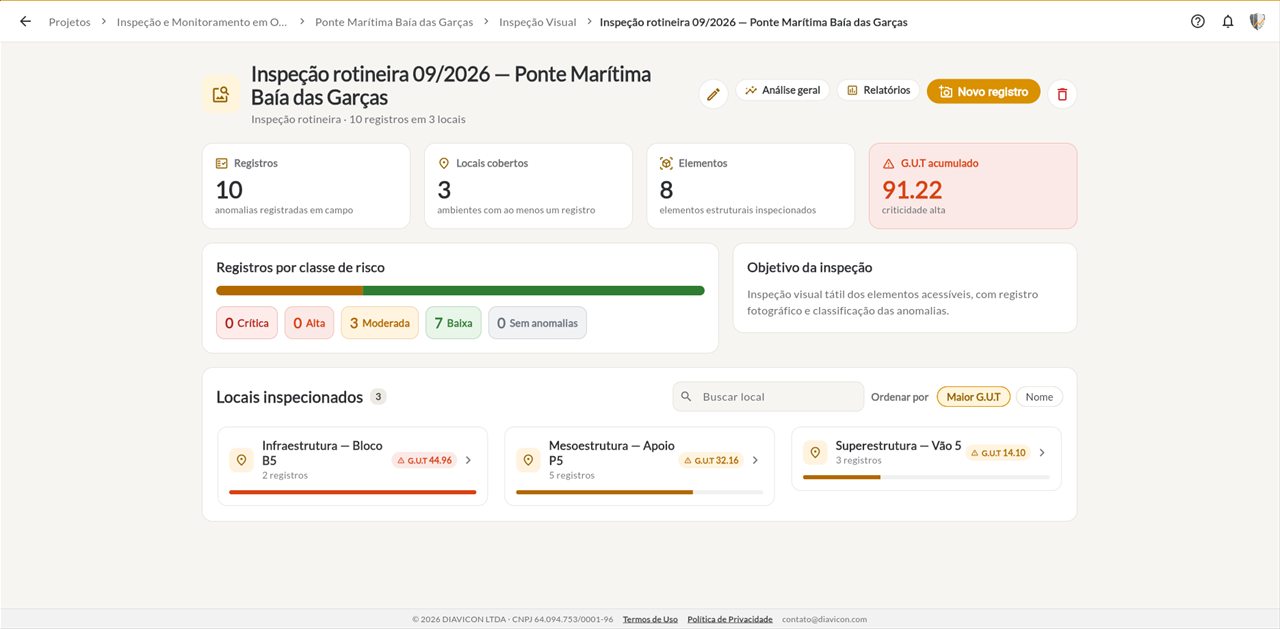
Summary of a routine bridge inspection on the DIAVICON platform: records, locations, elements and cumulative GUT score

Durability

Corrosion and carbonation measured, not estimated by eye

In marine or urban environments, what defines service life is the advance of aggressive agents. Enter the readings and see the risk of each element.

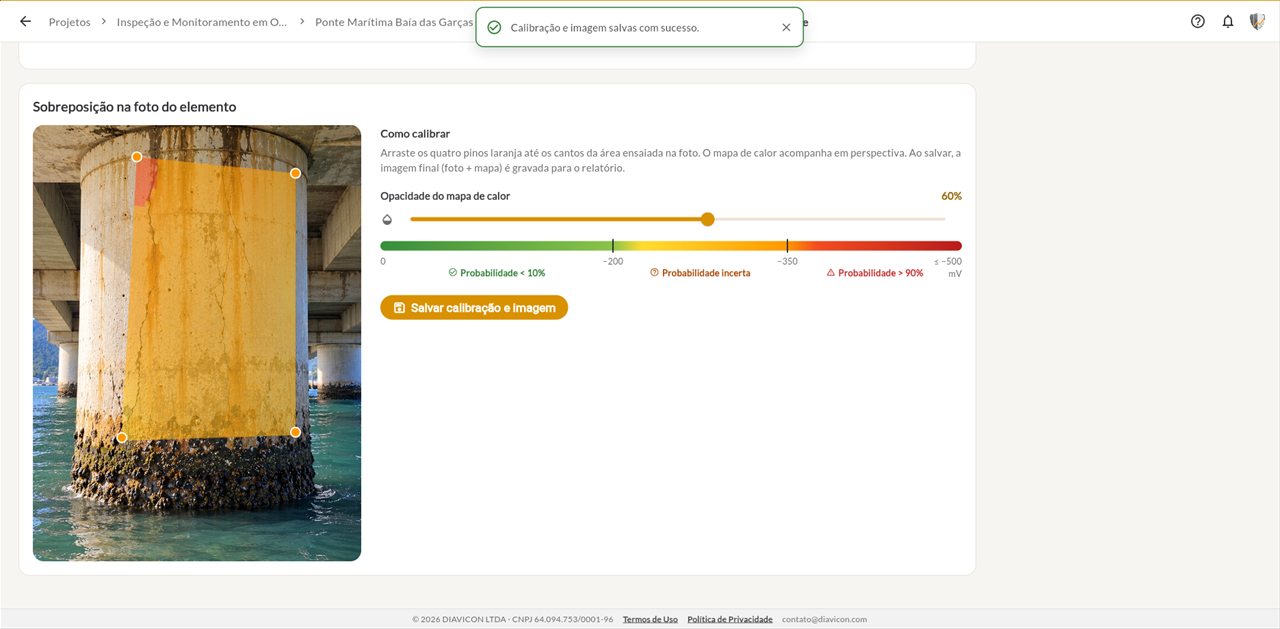
  • Corrosion potential heat map over the photo of the pier
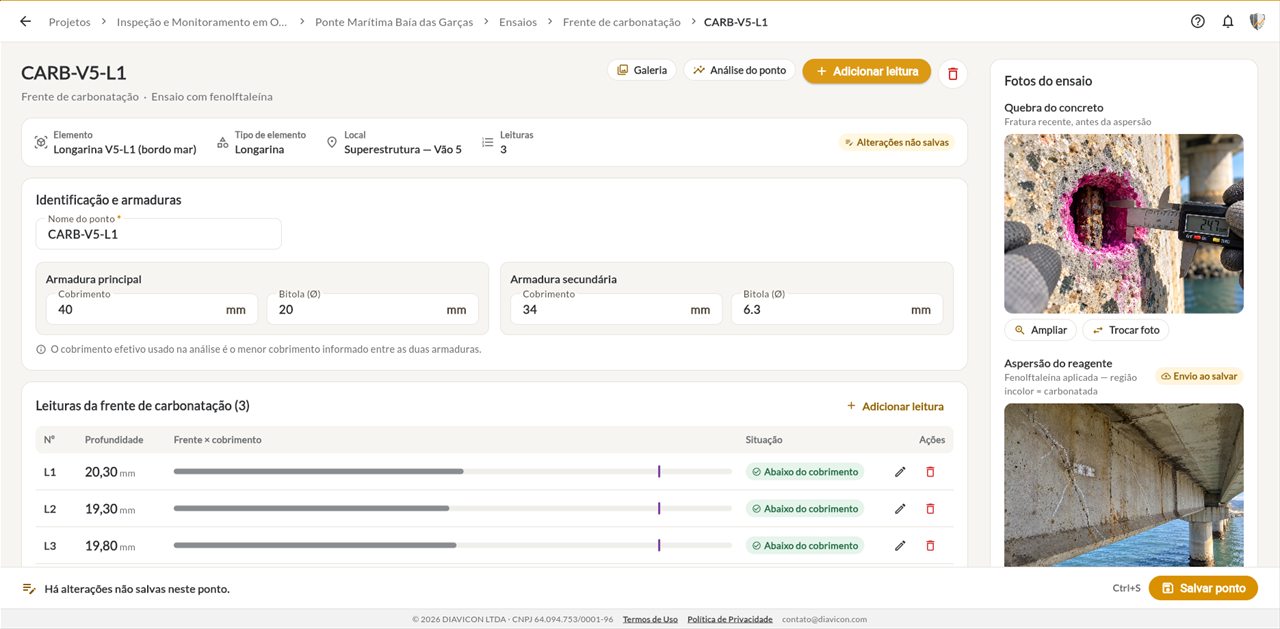
  • Carbonation front, concrete cover and depassivation forecast
  • Electrical resistivity and chlorides
See durability tests
Corrosion potential heat map over the photo of a marine bridge pier, on the DIAVICON platform
Carbonation front test point on a longitudinal girder, with photo, on the DIAVICON platform

Integrity

Static and dynamic load tests

Record displacements per load stage and import the accelerometer data. The platform delivers recovery, natural frequency and vibration level.

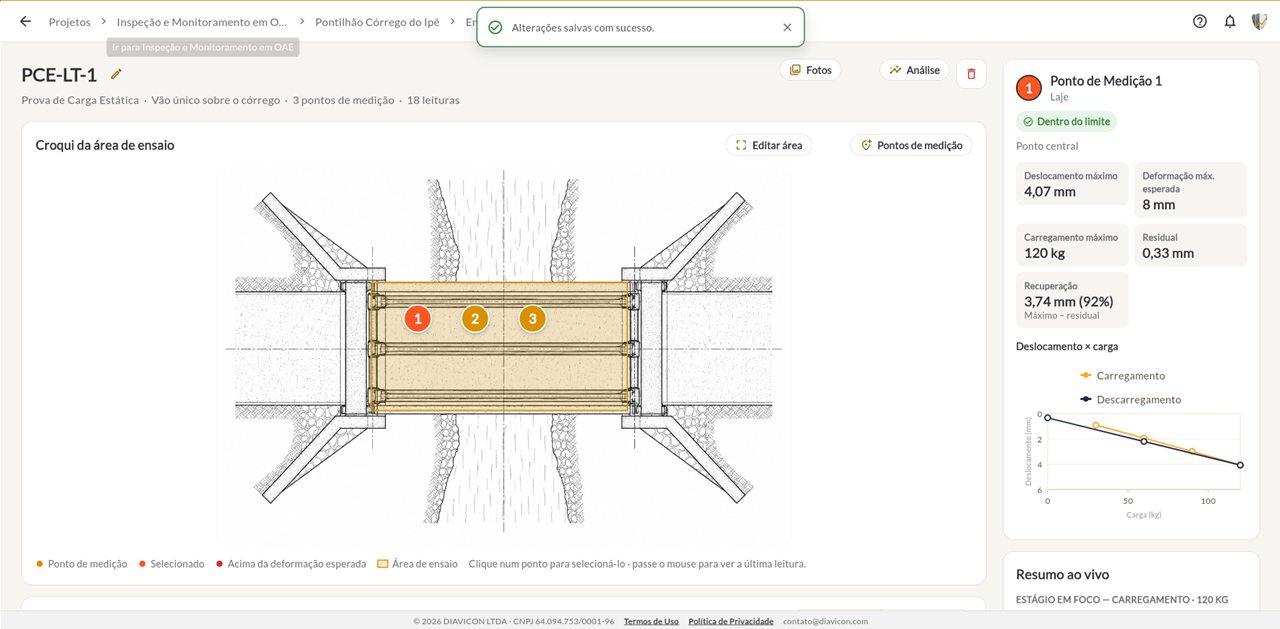
  • Sketch of the span with the measurement points
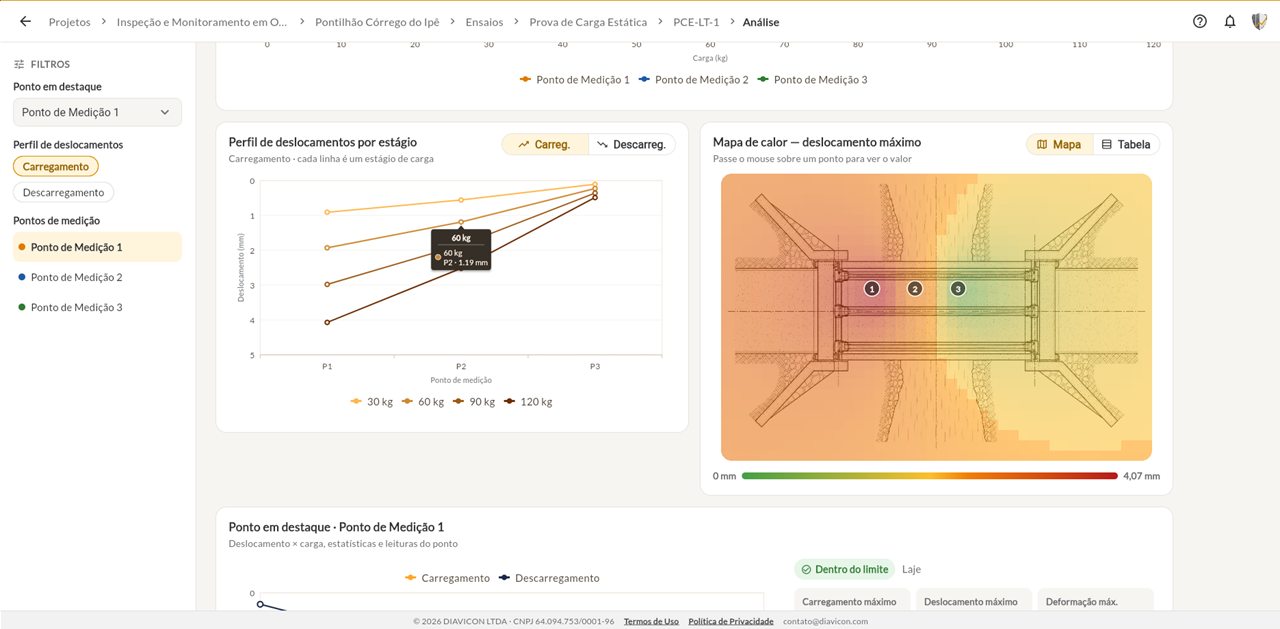
  • Displacement profile and heat map
  • Natural frequency and vibration per stage
  • Rebound hammer test, ultrasonic pulse velocity and core extraction in the same history
See load tests
Sketch of the test area of a static load test on a small bridge, with the measurement points, on the DIAVICON platform
Displacement profile per stage and heat map of a static load test on the DIAVICON platform

BIM/IFC

The bridge in 3D, colored by the results

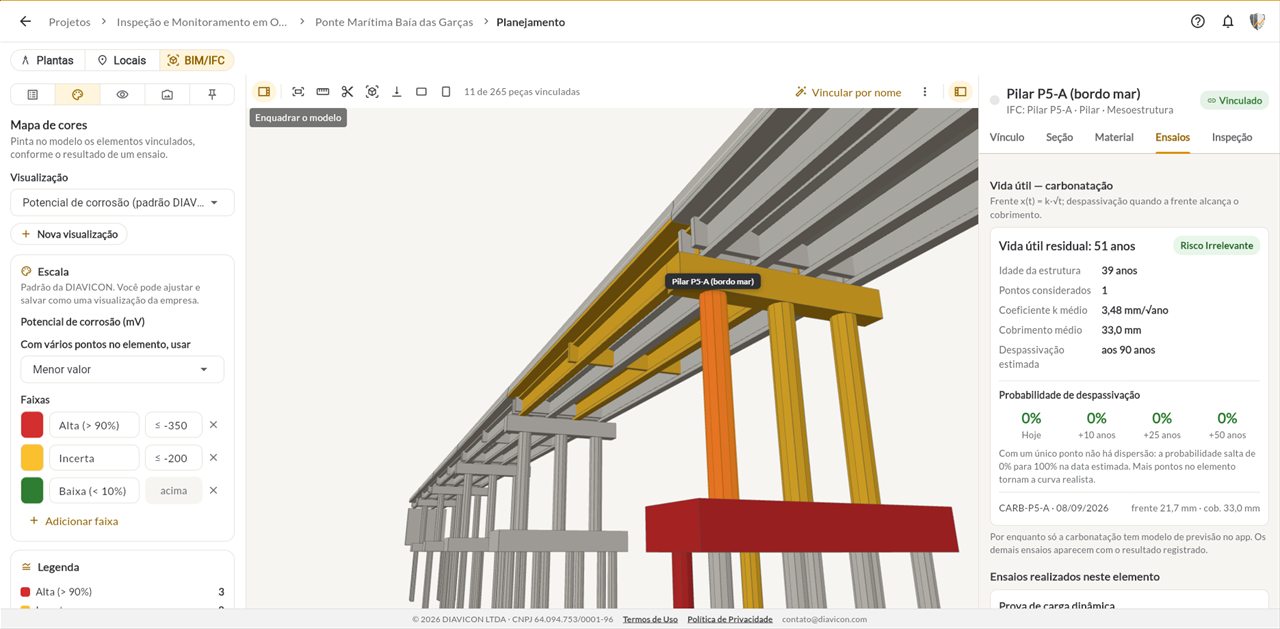
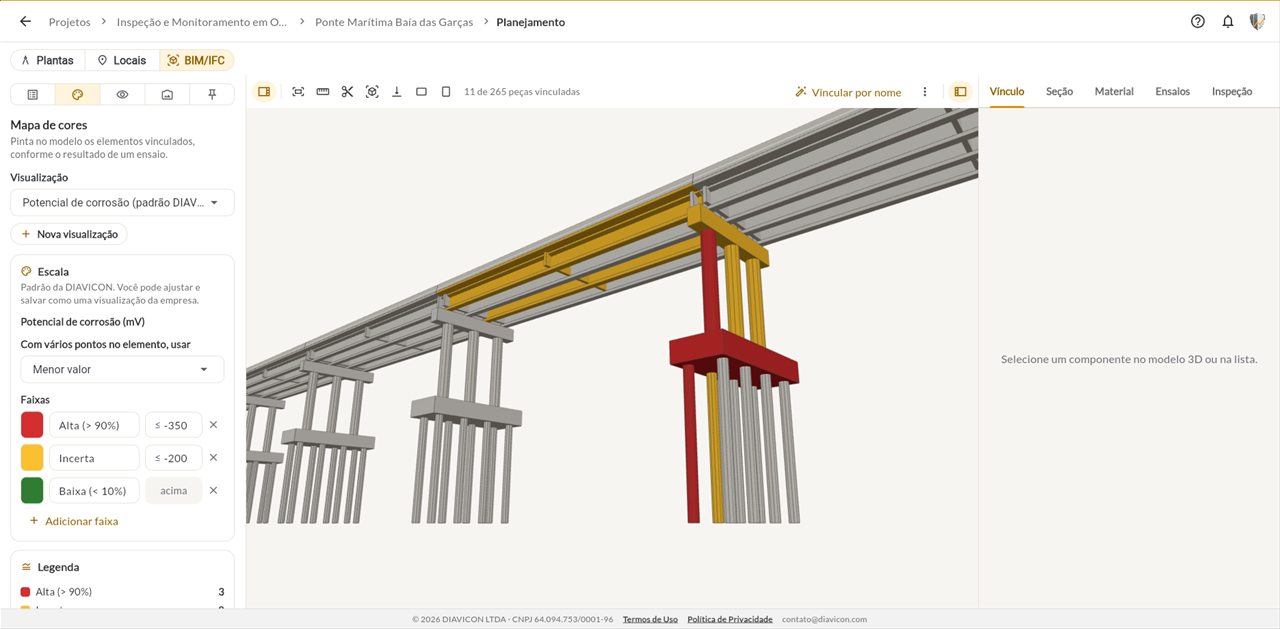
With the structure model in .IFC or .GLB, each pier, cross beam and longitudinal girder shows its tests, its defects and the estimated remaining service life.

  • Color map by test or by GUT score
  • Remaining service life and depassivation probability per member
  • Available on the Enterprise plan
Discover the 3D model
3D model of a bridge on the DIAVICON platform, with the elements colored by corrosion potential and the remaining service life of a pier

Management

Every structure in the contract on one dashboard

The project brings together bridges, viaducts, small bridges, cut-and-cover underpasses and tunnels. The dashboard compares the structures and shows where the condition needs attention first.

  • Dashboard by project, by structure and by element
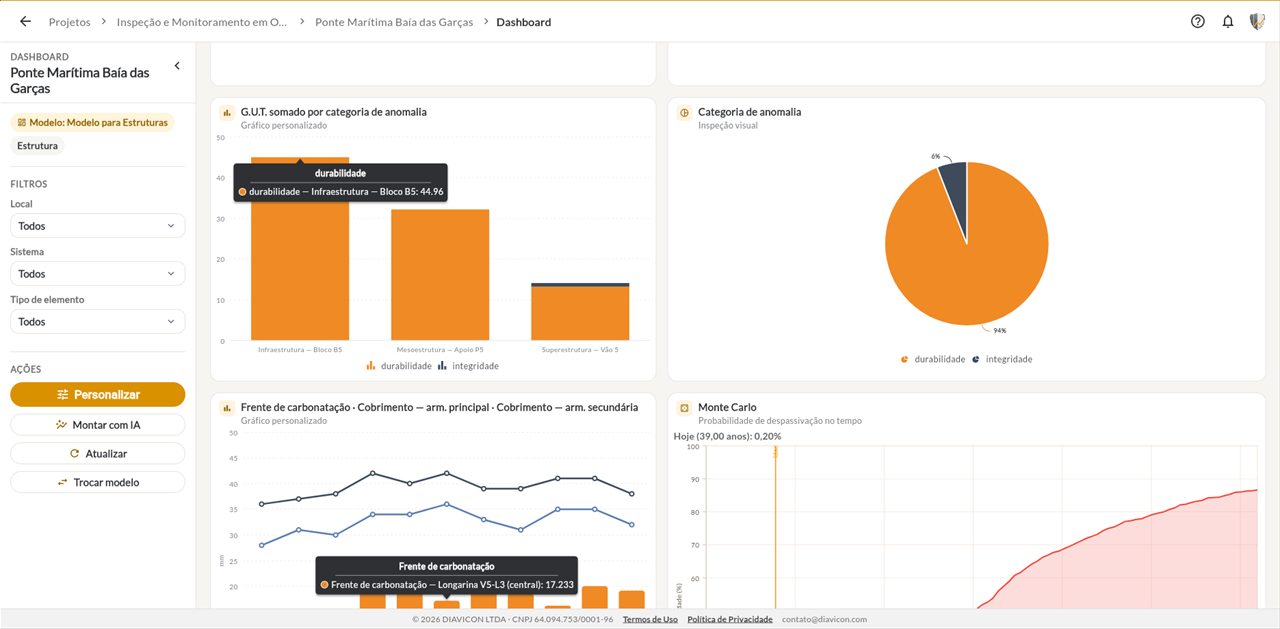
  • GUT score by location and by defect category
  • AI dashboard: ask DIAVICÃO which elements are most critical
Discover the monitoring dashboard
Project with four special structures on the DIAVICON platform: small bridge, marine bridge, tunnel and cut-and-cover underpass
Dashboard of a bridge on the DIAVICON platform, with GUT score by location and depassivation probability

Reports

The inspection report comes from the data

Use your company's report template or ask DIAVICÃO: structure description, inspection locations, records, tests and photos go into the document.

  • AI report in PDF and Word
  • In your company's format, based on your template
  • You review and sign
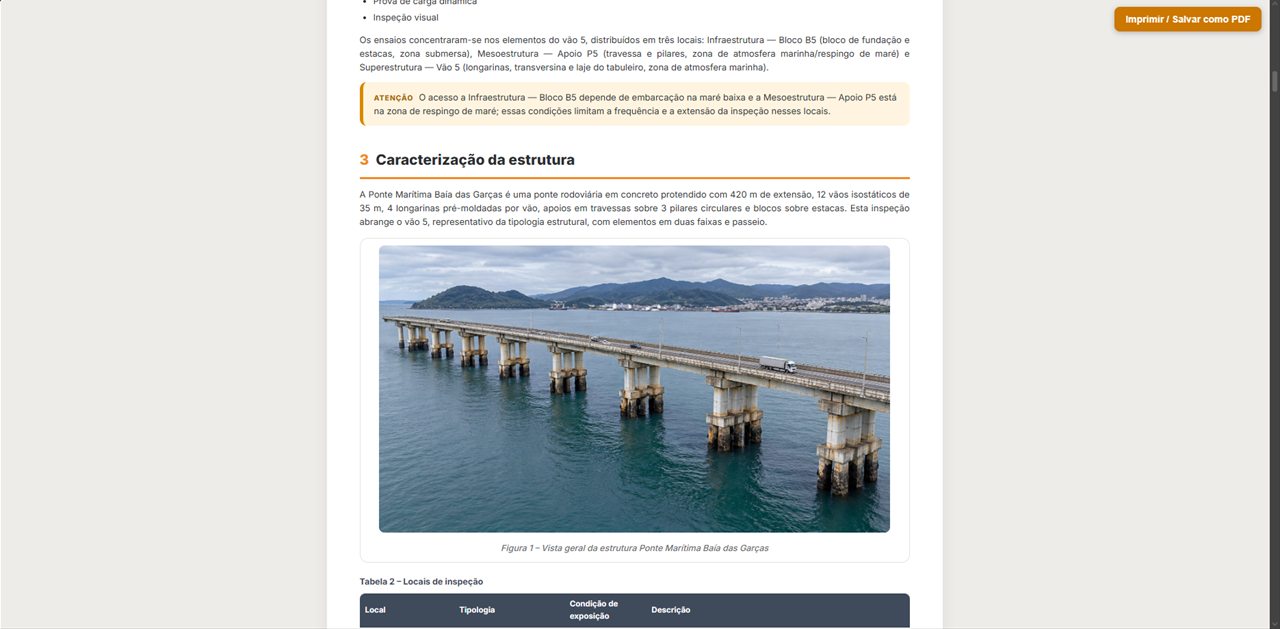
Bridge inspection report generated with AI on the DIAVICON platform, with the structure description, photo and table of locations

Built for bridges and viaducts

What helps bridge inspectors day to day

Foundations, piers and superstructure

The structure's locations follow the breakdown inspectors already use: pile caps and piles, supports, spans.

Elevations and floor plans

Mark records and test points on the elevation of the support or the floor plan of the span.

Aggressiveness class and age

Each structure stores its typology, age and environmental aggressiveness class.

No signal under the deck

With offline work, data collection continues and syncs when the connection returns.

The client following along

Add the client company to the project so it can see the structures and the results.

Campaign after campaign

Successive inspections and tests stay in the same history, ready for comparison.

Recommended reading

DNIT Bridge Inspection Manual 2026

What changes with the new manual and how it relates to diagnostic engineering, in an article on the DIAVICON blog.

Read the article (in Portuguese)
3D model of a bridge on the DIAVICON platform with the elements colored by corrosion probability

Demo

See DIAVICON with one of your structures

In a 30-minute conversation, we show the inspection, the tests, the 3D model and the reports with real data from a bridge.

  • Inspection with GUT by structure location
  • Durability tests and load tests
  • 3D BIM/IFC model and dashboards
  • No commitment

We use your data only to respond to this request. Privacy policy.

Free trial

Start on the Freemium plan and upgrade when you need to

Use DIAVICON on a real project before you decide. As your operation grows, the paid plans add offline work, more users and storage, reports, dashboards, AI and the structure monitor.

Compare all plans
DIAVICÃO, the DIAVICON mascot, using the platform on a laptop

Freemium plan

Free

  • 1 user
  • 250 MB of storage
  • Full analyses
  • Online use only
Try it free

Questions

Frequently asked questions about bridge and viaduct inspection

DIAVICÃO, the DIAVICON mascot, wearing a headset and providing support on a laptop

Didn't find your question?Write to contato@diavicon.com.

Can DIAVICON be used for bridge and viaduct inspection?

Yes. The platform organizes each bridge or viaduct by location, such as foundations, piers and superstructure, and by structural element, with visual inspection, tests, dashboards and reports.

What types of inspection can I record?

You create as many inspections as you need for each structure and give each one its own type and purpose, such as a routine inspection. ABNT NBR 9452 provides for cadastral, routine, special and extraordinary inspections; the choice and classification are up to the responsible engineer.

How are defects prioritized?

Each record receives gravity, urgency and tendency (GUT) ratings. The platform adds up the score by element, by location and for the inspection, and shows the records by risk class.

Can I track several structures under the same contract?

Yes. A project brings together several structures, and the project dashboard compares the results between them. The structure monitor tracks up to 10 structures on the Advanced plan and up to 20 on the Enterprise plan.

Does the platform work with the bridge's BIM model?

Yes, on the Enterprise plan. The .IFC or .GLB model is linked to the structure's elements and colored by the results of the tests and the visual inspection.

Can I use it in the field without internet?

Offline work is available from the Basic plan: records are synced when the connection returns.

Do your next bridge inspection on DIAVICON

Create your free account, register the structure and record the inspection in the field.

Try it free
DIAVICÃO, the DIAVICON mascot, giving a thumbs up

Follow us

Technical content and DIAVICON news.

Free Freemium plan Try it free